Read more at:
The SuperStation One from RetroRemake is an excellent, if niche bit of kit that should be on retro gaming fans’ radars. Capable of playing games from PlayStation 1 to the Game Boy Advance, it’s a tad different than your usual Android retro handheld or emulation box. With the “Console Mode” now out and myself going hands-on with it for a few weeks, it’s time to finally take a proper look at the PlayStation-inspired gaming machine.
RetroRemake has already built a device similar to the SuperStation One; the MiSTer Pi, a lower-cost device for those wanting to jump into MiSTer FPGA. So what differentiates this from one of the many versions of Raspberry Pis out there? Well, plainly, it’s not software emulation per se, but hardware emulation.
The onboard chip uses “cores” to load up an environment, the original Nintendo Entertainment System for example, and then programmed logic on the chip creates a highly accurate simulation of the console. That’s the FPGA bit, or “Field-Programmable Gate Array.” However, the MiSTer project is built on a specific FPGA chip, the DE-10 Nano, which only gets more expensive and hard to find. Following suit with QMTech, a Chinese brand that produces hardware clones, RetroRemake created the MiSTer Pi and now the SuperStation One. The main aim, I think, has almost been accomplished, but it’s not a completely frictionless system.
Ports and options
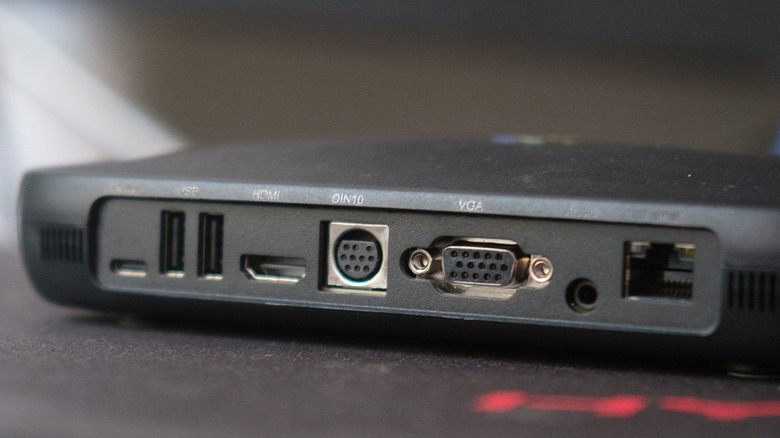
Instead of a “stack” that can be added to, RetroRemake packs the SuperStation One with almost every port you might need. Component, composite, and even more obscure ports like DIN10 to use the Sega Saturn’s AV cable straight out of the box. Of course, HDMI is also available, with the MiSTer platform putting in the effort to output accurate and mostly latency-free controls when using modern screens.
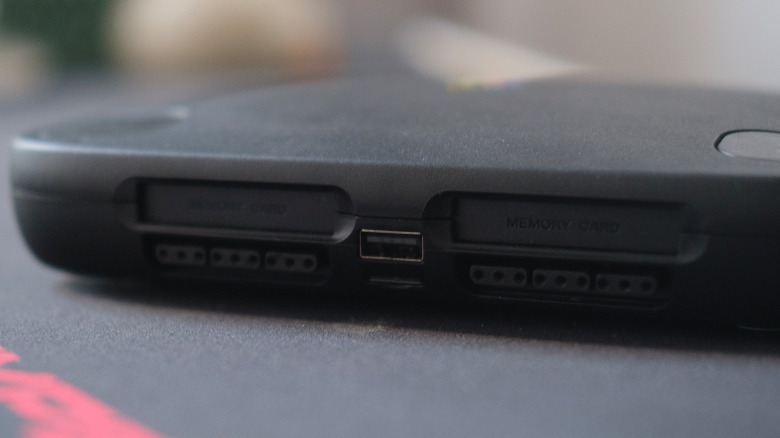
RetroRemake has also embedded two “SNAC” ports (Serial Native Accessory Converters) that take original PlayStation controllers; this includes PS2, and that bin of your favorite MadCatz clones. Alongside that are USB-A ports, with three included on the base system, and is expandable with the dock that’s available separately, which also includes a DVD-RW drive.
 BGR/Joel Loynds
One issue at the moment with the SNAC ports is that they only work within the PlayStation core, and are not detected by other systems. It’s a shame, but at the same time, why would I use a PS2 controller on the TurboGrafx, when there are far better options for other systems? For most people, your standard PS4, PS5, or Xbox controllers will work just fine once mapped properly.
SuperStation One is still just a MiSTer
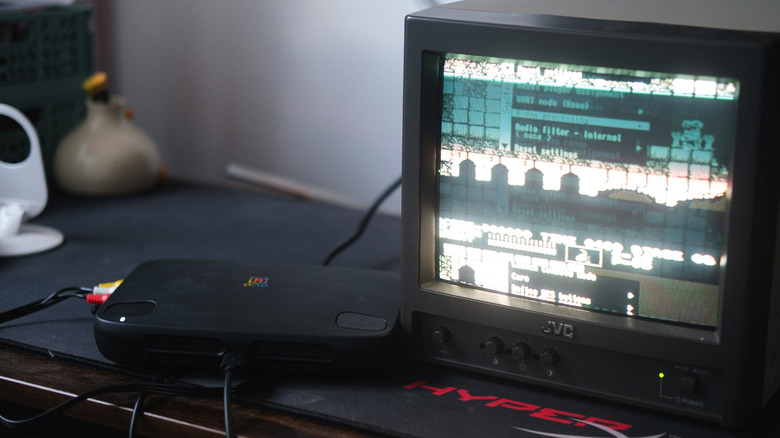
That’s the bit about the SuperStation One that can possibly trip some people up. Out of the box, a lot of the stuff does work. However, with the launch of Console Mode, there are now two different distributions for the operating system, and getting everything set up still requires the use of an external PC. This isn’t shipping with a preloaded SD card full of games.
When you boot for the first time, the most that’s available on here are some homebrew games, as well as an independent, non-Sony BIOS for the PlayStation 1 core to get you going once you’ve “acquired” some games.
I found it easier to connect over FTP to transfer games across my network, rather than turning the device on and off each time. Thankfully, the Console Mode also comes with a library refresh button, so the SuperStation One isn’t constantly power cycling. Using it comes naturally to someone like me, who has been steeped in the depths of file paths and directories for years. If that, on top of some of the setup required by the MiSTer OS underneath, turns you off, this isn’t the system for you. This is a piece of kit that needs you to put in as much work as you want out of it. Once set up, however, it’s never been easier to jump into these games in as close to the original as you can get.
Console Mode
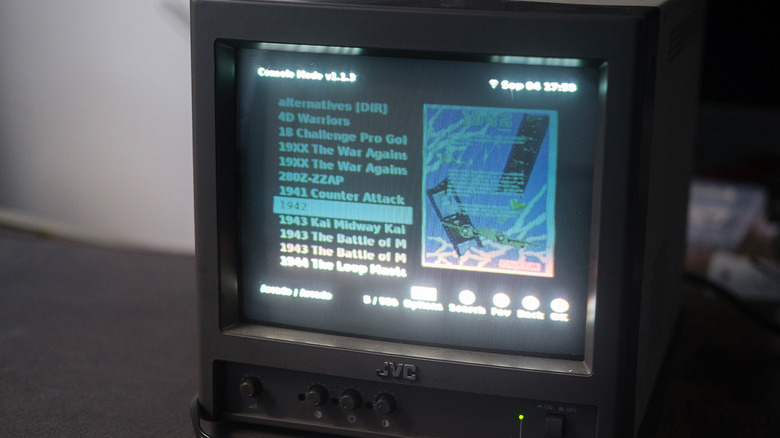
Console Mode is essentially a more pleasant-looking menu than the stock-MiSTer one, with game art and even a CRT-friendly mode. Most of the options I’d want are there, but it has a habit of ignoring anything but the baseline systems the MiSTer is known for. For example, to play Amiga games, I use AmigaVision, a fan pack that bundles everything into a lovely front end for various systems. To load it in the regular menus, I simply hit “Amiga,” but on the SS1’s Console Mode, it still leads back into the main Amiga core. I have to go into the usual MiSTer OSD (On Screen Display) and get into it that way.
Console Mode does give me the willies when loading, as it takes just a hair too long to appear on the monitors. For those using a CRT, there’s even a dedicated CRT viewing mode for Console Mode that crunches everything down so it’s legible. You can even display on two monitors at once if you wanted to.
Despite the ports, this could trip some up is if you’re (like me) not from the U.S. Accuracy comes with its pitfalls, as NTSC settings on a PAL screen, or even a U.S. game being displayed on a PAL monitor, will need an RF modulator or converter of some sort to get around the display issues. Who doesn’t love “Castlevania” flickering and making the eyes hurt?
This could be the endgame system for a lot of you
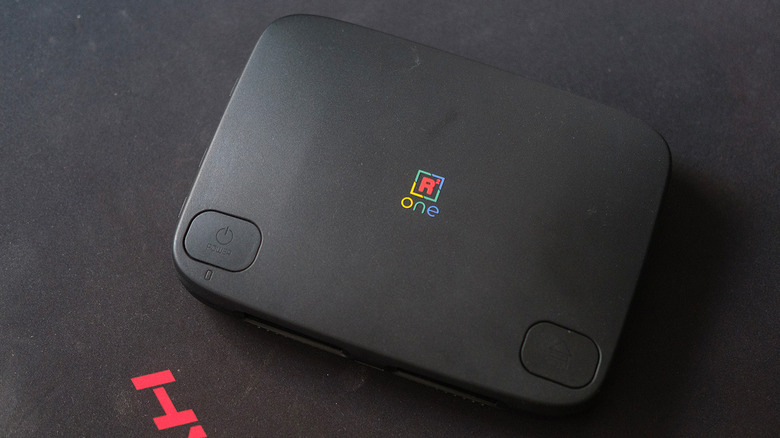
As for the games, if the slow drip of mentions of different systems wasn’t a hint enough, the SuperStation One doesn’t just play PlayStation or console games. There are computers and arcade games abound, with the handheld options even bringing in some deeper cuts like the WonderSwan and NeoGeo Pocket. These are all community-made, and over the years, there’s been quite a bit of work that’s been put into the various cores to ensure accuracy. Some cores even enable multiplayer features in systems like the Game Boy Advance, which required a Link Cable, for same-display play.
I wasn’t taken aback or even surprised by the performance of the SuperStation One. Everything works as expected, but that’s because I’m coming from another MiSTer clone, the QMTech. If you’ve been eyeing up the SuperStation One as a MiSTer owner, there’s not much point; aside from the optional Console Mode, it’s nearly identical under the hood. That said, being able to quickly switch between playing “Resident Evil 2” on PS1 and the SNES role-playing game “Earthbound” in just a few button presses is the meaning of luxury.
Games won’t look or perform any better than the originals, however. This isn’t emulation, like unlocking 60 frames-per-second in a game on the Dolphin GameCube and Wii emulator, or the PlayStation 3 emulator RPCS3. When I say accuracy, I mean accuracy: Games will run at their native resolution alongside the TV’s upscaling, and you’ll need to add upscalers like RetroTink to get these to display in HD or even 4K.
Conclusion
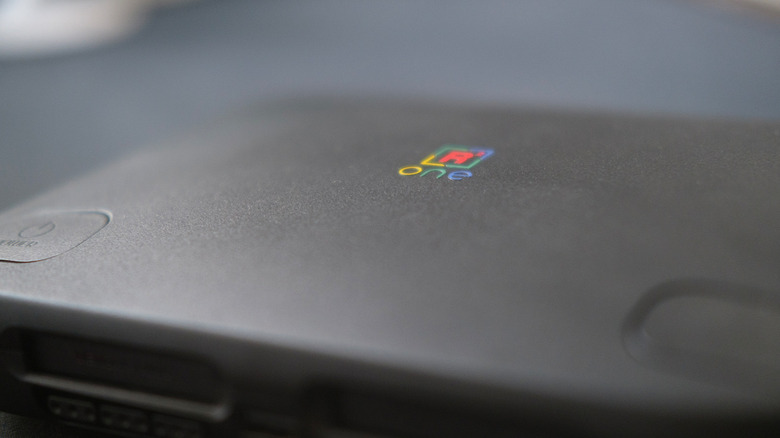
This is the quintessential piece of hardware to get if you’re only now just getting into either retro games or the MiSTer FPGA side of things. RetroRemake has crafted an excellent all-in-one box that takes a lot of the difficulty of the MiSTer for mainstream users away. Where it doesn’t fully succeed in that mission are just inherent bits of the MiSTer project that rely on having a bit of computer literacy when browsing file systems. Old PCs, consoles, and arcade games are all at your disposal. However, it’s up to you which way you want to customize your SuperStation’s library.
As long as you’re ready to jump into the mix and do a little bit of legwork, the SuperStation One is a treat. Blazing through the Amiga library, or even tinkering with various fan translations of games never released in the West, has been an outright blast. The SuperStation One has made a good majority of the experiences really easy to just get into.



