Read more at:
Some of the newest Android phones can last for days on a single charge, even without adjusting settings to extend battery life. Cutting-edge technologies like silicon-carbon power cells continue pushing the limits, and even when your phone does run low, you can quickly fast-charge without hurting the battery’s health. Handset batteries can discharge and recharge for hundreds of cycles before battery health degrades significantly, allowing owners to use the same device for several years before upgrading or replacing the battery.
Despite the advancements in battery technology and safety, batteries can malfunction or suffer accidents that may lead to swelling incidents that can be dangerous. It’s important for Android users to act quickly as soon as they determine their battery has started swelling to reduce the risk of the power cell smoking and catching fire. They should stop using the device and seek a battery replacement that also includes the safe disposal of the old battery.
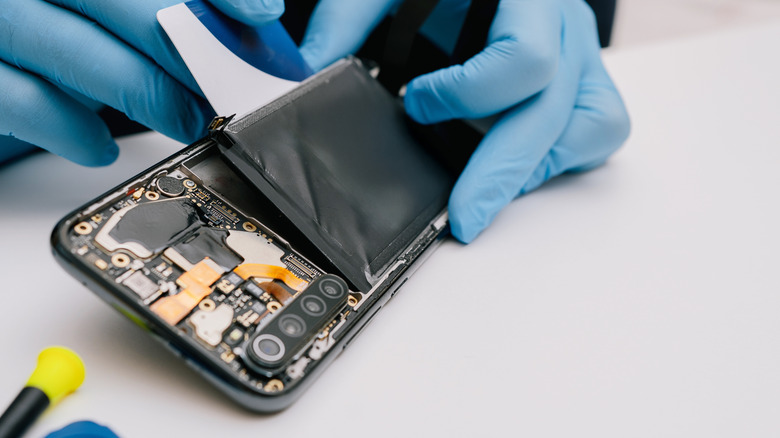
A swollen battery is an indication that a gas buildup may have happened within the power cell. When swelling occurs in a battery-powered device like an Android phone, users may notice the front or back of the device separating from the body. The swelling battery may push the display outwards and come into view. When this happens, users should act quickly. This bulging may be the first sign of a major problem, but it’s still preferable to seeing any smoke coming out of the battery or detecting the smell of something burning.
Do not try to repair the battery yourself
As soon as you’ve noticed a sign of swelling, you should disconnect the device from any source of power. Do not continue charging an Android phone with a swollen battery. iFixit recommends that users deplete the battery to reduce fire risk before replacement. Tom’s Guide offers the same guidance. You should place the handset in a spot where you can see it while it’s discharging, like a metal container, so that a fire wouldn’t immediately spread. You may want to use protective gear (safety glasses, a mask, and gloves) and open a window. Having a fire extinguisher on hand may also be a good idea.
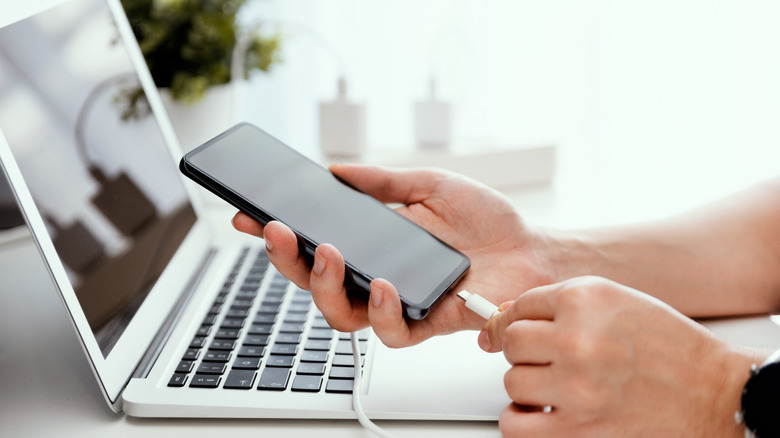
If you’re worried about your personal data, you may want to start an online backup, but it can be risky. You should not connect the handset to a computer for a local backup, as the USB-C wired connection will charge the battery. iFixit warns against operating a phone with a swollen battery. Separately, the London Fire Brigade says users should stop charging the handset and turn it off, rather than discharging it.
The London Fire Brigade also says users should not remove the casing or tamper with the phone. Instead, you should contact the Android vendor to seek proper help. Alternatively, or after contacting the Android company, you can look for help from local repair shops. You should not attempt to replace the swollen battery yourself, especially if you don’t have any experience or training. iFixit has a guide that explains the steps needed to replace the swollen battery yourself, but the process may be more delicate and stressful than replacing an Android phone battery that’s still functioning normally. You won’t want to mishandle the phone and risk damaging the battery.
How to prevent battery swelling
The Galaxy Note 7 was infamously recalled in 2016 after a battery defect made the handsets prone to swelling and catching fire. While the battery incident hurt Samsung’s image and bottom line for the year, it was a landmark development in the history of modern phones, drawing attention to smartphone battery safety. However, battery issues have happened since then. Some of Google’s Pixel 6a and Pixel 7a models have suffered from battery issues in recent years, including swelling. You may want to document your phone’s battery swelling while taking steps to ensure your safety, as the information may be needed for future reimbursement.
There’s no way to predict when an Android phone battery will swell. But you can reduce the risk by ensuring you operate the device safely. This includes avoiding mechanical damage from drops or pressure and preventing the phone from bending or being punctured. Samsung recommends using its Galaxy phones at temperatures ranging between 0 degrees Celsius (32 degrees Fahrenheit) and 35 degrees Celsius (95 degrees Fahrenheit). The company also notes that any unexpected shutdowns should be investigated in official service centers. A battery replacement is advisable for aging batteries to improve battery life and reduce the swelling risks that may rise with the battery’s age.
Users should also rely on official, compatible chargers to charge their Android handsets. Samsung explicitly notes that handset users should “unplug the charger after the device has reached a 100% charge to avoid a swollen battery.” Android phones that aren’t used for a longer period should be powered off and charged at 50% to 70% for long-term storage, then recharged every three to six months. Unused phones should be stored in cool, dry places.



