Read more at:
One of the worst things that can happen to a smartphone is cracking the display after an accidental drop. That’s because screen replacements can be costly for both iPhone and Android devices when premium warranty services like AppleCare+ aren’t available. Newer devices like the iPhone 17 models may be more durable than their predecessors, but it’s a good idea to use a screen protector to reduce the risk of cracking the display. If the screen does break after an accidental impact, replacing it should be a priority. Placing a screen protector on a cracked phone screen can be a temporary solution, especially in scenarios that involve minor, hairline cracks. A screen protector can also help with more significantly damaged glass, as it may help prevent injury from glass fragments.
However, a screen protector shouldn’t be a permanent fix for a broken display, as it won’t miraculously increase the durability of the cracked screen. While the screen protector might give users a false sense of security, the display integrity is already compromised. Additional drops and even the pressure involved in applying certain screen protectors may produce new screen damage.
On the other hand, if you plan on replacing the damaged display yourself, applying a screen protector to the damaged unit might be advised, depending on how much damage the display sustained. The screen protector can ensure that loose pieces of glass do not fall, and that you don’t hurt yourself while handling the device. Repair procedures do not require commercial screen protectors, as an iFixit guide shows. You can use packaging tape to secure the cracked display before removing it.
When to use a screen protector with a broken display
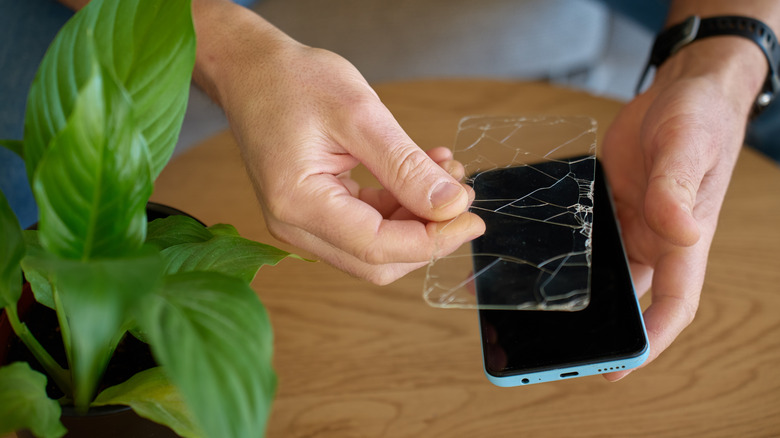
Apple says iPhone users should not use a phone with a cracked display to avoid injury, while Google recommends users repair broken screens. In practice, users may not be able to replace the broken screen immediately after an accident, and they will need to use the handset for various purposes, despite the risk of injury. If you know it may be some time before you’re able to repair the display, you can consider using a glass or plastic screen protector to try to limit the damage and avoid injury.
After an impact that results in screen damage, you should inspect the display. If the screen appears to be cracked but already has a screen protector applied, only the screen accessory may be broken. You can replace the old screen protector, as long as you have a replacement on hand, and see if the display glass is cracked. Consider turning off the display to inspect its integrity. If the display isn’t broken, you can apply the new screen protector immediately.
If the display cover glass is broken, but you only observe fine cracks, a more rigid screen protector like tempered glass may reduce the risk of additional damage. If you see glass fragments that are raised, loose, or absent, consider a less rigid plastic film to try to contain the damage. In this scenario, you should prioritize repair, as the screen protector isn’t likely to adhere perfectly to the uneven surface. Bubbles may appear, which you shouldn’t try to eliminate. If the OLED or LCD panel shows signs of damage, like black regions and lines, or the touchscreen is unresponsive, you may want to arrange a repair immediately. Also keep in mind that removing a screen protector improperly can cause further damage to the phone.
How to apply a screen protector on a broken display
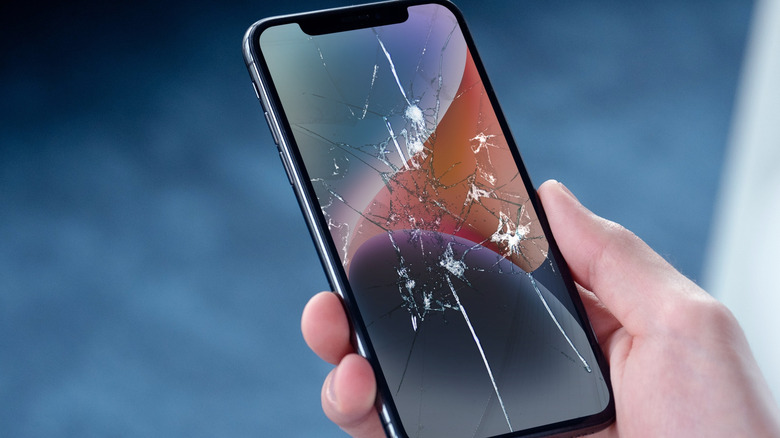
Most modern smartphones come with water and dust resistance ratings, but a smartphone with a broken screen is no longer water-resistant. The more extensive the damage, the greater the risk of liquids getting through the cracks. A screen protector may not eliminate the risk of water damage. Separately, if you break the foldable display of a handset, you should not try placing a screen protector on your own, as foldable screens are more fragile.
After you’ve inspected the damage and decided to use a screen protector as a temporary measure, you should also check whether the display damage affects several key functions. Make sure that the screen is responsive to touch, and that features like in-display fingerprint sensors (on Android) and Face ID (on iPhone) still work. Also, check the selfie camera if the glass crack reached it. After that, you should back up the data on your device either to the cloud or to a computer. Further damage could make the screen unusable and prevent you from using the phone until you replace the display.
Choose an appropriate screen protector for your smartphone model. It’s not just about the right fit; you’ll want to look at the accessory’s rigidity. Significant cover glass damage may require a more malleable plastic protector. You should avoid protectors that come with liquid adhesive, as they can damage the phone’s components. Clean the broken display as best you can, preferably with a microfiber cloth. You may want to avoid the use of cleaning liquids. Then apply the screen protector gently. Extra pressure may extend the damage. You shouldn’t worry about all the air bubbles that appear. These may indicate the phone’s glass cover is no longer flat following the impact.



