Read more at:
The iPhone has many security features to ensure the integrity of user data. It’s encrypted by default (as long as you lock it with a password), it includes anti-theft features that can prevent a thief from accessing key iPhone data, and tracking capabilities that can locate lost or stolen devices on the map. Also, stolen iPhones can’t be activated as long as they’re locked to the user’s Apple Account. Finally, the iPhone also has built-in iOS protections against hacks and malware, including a somewhat overlooked iOS security feature called Lockdown Mode that can prevent hackers from spying on iPhone owners.
Lockdown Mode is especially important in a world where sophisticated attackers can bypass the built-in iOS security feature despite Apple’s best efforts. But Lockdown Mode appears to be working as intended, preventing hackers from deploying malware on iPhones successfully. Apple told TechCrunch that iPhones protected by Lockdown Mode have not been hacked in the nearly four years since the feature was launched. The feature was developed in the wake of the NSO Group’s Pegasus spyware attacks on iOS, so it’s likely Apple is aware of all sorts of sophisticated attacks targeting iPhones, including devices that don’t use Lockdown Mode protection.
There could be extremely sophisticated attacks that can bypass Lockdown Mode without Apple’s knowledge, but Apple’s claim seems to be supported by third parties. TechCrunch mentions Amnesty International, Citizen Lab, and Google, among the organizations that can verify Lockdown Mode’s ability to thwart attacks. Google’s findings include a case of spyware that would abort attacks once Lockdown Mode protection is found.
How Lockdown Mode works
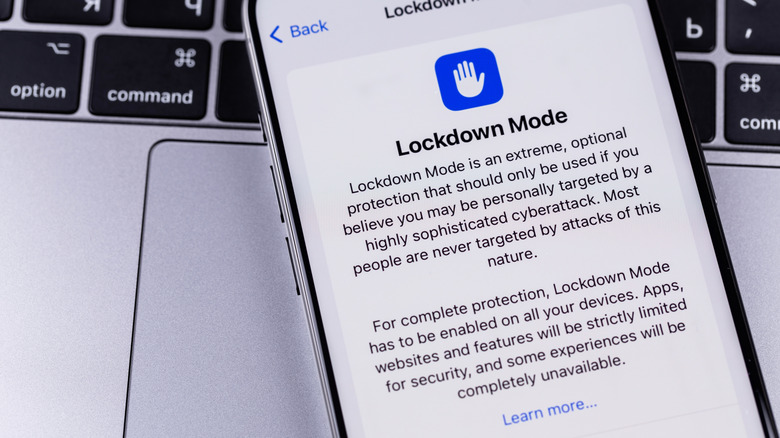
Apple unveiled Lockdown Mode in the summer of 2022 as an extra security feature for people prone to cyber attacks, such as public figures, politicians, journalists, activists, dissidents, and high-profile executives. It’s a free security feature that any iPhone user can enable on their handset from the Settings app. Once enabled, Lockdown Mode will alter the iPhone experience in ways longtime iPhone users may not appreciate.
For example, it will block most attachments and all link previews in the Messages app. FaceTime calls will be blocked by default for new contacts. The web browsing experience will also suffer, as the browser will block certain technologies and fonts, which may break some websites. Location information will be removed from shared photos, and users will not be able to use the Shared Albums feature. The iPhone will need to be unlocked to connect to accessories and computers, and the handset will not automatically join Wi-Fi networks that are not secure. Finally, Lockdown Mode will block 2G and 3G connectivity and configuration profiles.
These security features may sound extreme to a regular iPhone user, but the compromises may be worth accepting if you think you’re the target of hackers or nation-state spies looking to steal information from you. By blocking the features above, Lockdown Mode tries to ensure that attackers can’t install malware on your iPhone without your knowledge via zero-click attacks that may be deployed in messages or websites. In other words, it effectively blocks the paths hackers can use to infect the device.



