Read more at:
In 1994, when Ken Kutaragi overcame the odds to bring PlayStation to life, he had no idea how big of a name it would become. After the original PlayStation, Sony rode the wave and presented a bigger-and-better PlayStation 2 in 2000 — a tech marvel with impressive features that, to this day, remains the best-selling video game console. Today, as the PlayStation 5 dominates the gaming landscape, a PS2 is little more than a nostalgic relic. However, if you’ve got a craving for some good retro gaming, don’t throw it out. The PS2 modding community’s got you covered.
If you dust off your old PS2, this legend still holds up decently — with modifications, of course. To begin your journey, you’ll first need a jailbreak. The procedure for a PS2 is actually pretty easy. All you need is a specialized FMCB memory card, easily available. It comes loaded with the FreeMCBoot softmod. Just plug it in, boot up the PS2, and voila! Simple, right?
One sidenote though: This works on every PS2 model except the 9000 series Slim ones. If you have one of those, you need one teeny tiny extra step. Get a 9000 series-supported FMCB card, boot up the PS2, go to the memory card browser (it should appear blank), press back, and your CFW will be loaded.
Set up the display, controllers, and external storage
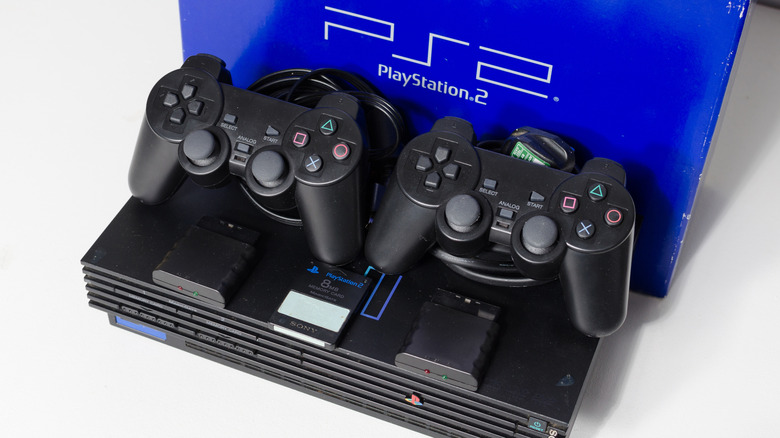
First, let’s get the hardware side of things out of the way. As you know, the era of AV and YPbPr component is long gone, and being the PS2’s primary display output, modern TVs won’t really agree with it. But there’s a solution to every problem. You can use a simple AV to HDMI converter, but unless you’re okay with poor image quality, steer clear of it. Your best bet is a modern PS2 to HDMI adapter that dynamically converts PS2’s multi-out to HDMI, and has zero input lag.
Plug it in your TV, relive that nostalgic intro screen, and launch FreeMCBoot. Now if you have the original controllers in pristine condition, that’s amazing, considering how hard-to-get they are these days. However, it’s also possible to spice things up with PS4 and even PS5 controllers, without all the fancy features. A controller adapter is available for the PS2 today. It plugs into the console, and supports a bunch of modern controllers via Bluetooth pairing. Have fun playing a PS2 with a Nintendo Switch Joy-Con.
Finally, we’ve got to do something about the PS2’s storage, because, let’s be honest, 8 MB is peanuts. If you have the old Fat PS2, you’re in luck. Sony added a hollow section in the back for external storage, and sold a network adapter to install it, which also comes with Ethernet support. However, do note that it uses the old IDE port, so you’ll need a converter for your SATA drives. Convert the port, install a modern drive (there’s no benefit in using SSD over HDD), gently press it into the compartment, and let the PS2 know its 2026 now.
Run custom software to level up your gaming
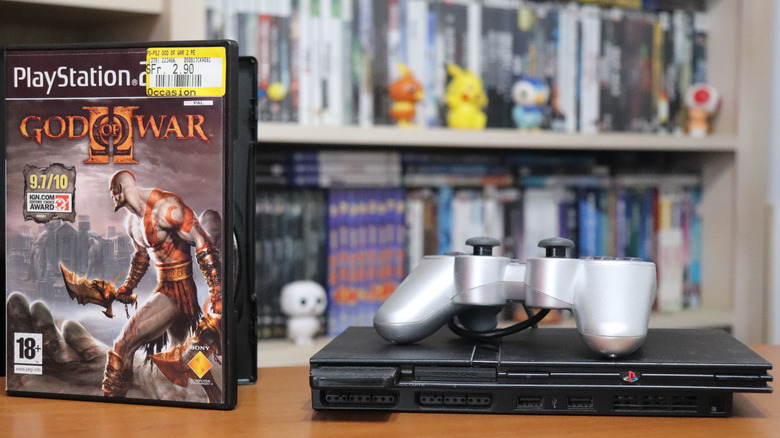
Yes, this trick only works for the Fat PS2, but Slim users don’t have anything to worry about either. PS2 Slim can either use a USB 1.1 with horrible bandwidth (1.1 is all a PS2 supports), or the much superior SD card adapter that lets you plug in an SD card into the PS2’s memory card slot. In any case, format your external storage correctly (exFAT is the go-to choice), and get ready to enjoy some classic gems.
Booting into FreeMCBoot, the store-bought FMCB card will probably be carrying some essentials as well. You have your LaunchELF, the definitive file exploration software that lets you move around save files, access different apps and files copied from your PC, and even use FTP file transfer via LAN. It’s a “do everything” software that puts you in control of the PS2’s data. There’s also a unique app called MechaPwn, whose purpose is to enable running games from any region without restrictions. Neat, isn’t it? Now you can enjoy all the Japan-exclusive stuff.
Next up is HDLGameInstaller. It’s an easy-to-use utility that is designed to rip a game disc to your storage device. And last, but the most important of all, is OPL Game Loader. The name says game loader, but it does so much more than that. Not only is it a one-stop for all your PS2 games, but it lets you customize everything with themes, run cheats in your games, tinker with graphics settings, and the list goes on. Use LaunchELF to install any missing apps, and play all the retro games in an “impossible to believe” kind of way.



