Read more at:
While the PlayStation 4 is now over a decade old, yours might still be holding up completely fine. It boots up exactly as expected, with the LED indicator showing a solid white light. Every now and then, you might notice the console light turn orange or blue. It’s usually nothing to worry about, though, as it just means the console is entering rest mode, in rest mode, or booting up from rest mode.
On the other hand, a blinking red light on your PlayStation 4 is a completely different story — and one thing you shouldn’t ignore. When your PS4 LED indicator starts blinking red, it means your console is running too hot. It’s designed to work only within the temperature range of 41°F to 95°F (5ºC to 35ºC). Anything beyond that limit can lead to overheating, and in turn, performance issues. Overheating is also one of the common problems on the PS5, but you can still fix it. If you notice your PS4 is pulsing red, here’s what you can do.
How to fix the blinking red light on your PS4
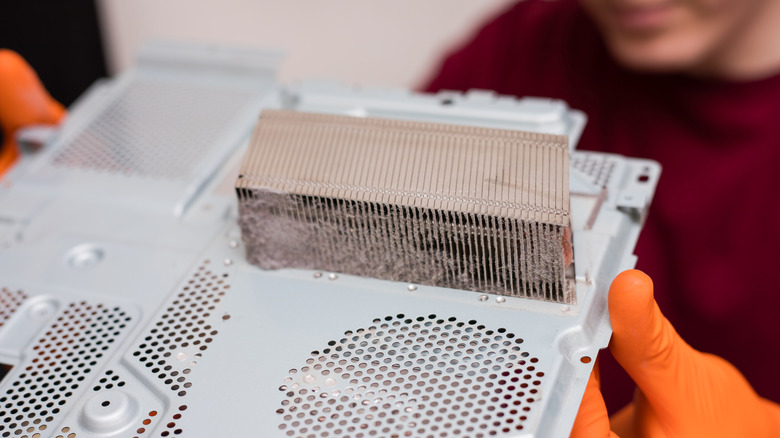
As soon as your PlayStation 4 starts pulsing red, the first thing you need to do is shut it down. Press and hold the PS button on your controller to pull up the Quick Menu. Then, head over to Power and choose Turn Off PS4. If you can’t navigate the screen, you can also turn it off from the power button on the console itself. Long-press it until you hear a beep and see the LED indicator blinking white. If the console turns off by itself, simply unplug it from the outlet. Just make sure the indicator is completely off before you do.
From here, it’s just a matter of waiting. Let the console sit for however long it takes to cool down to the touch. Once it’s cool enough, you can check the vents on the sides for any dust buildup. This can affect the ventilation and cause overheating. Remove the dust with a brush. If you’re comfortable with opening up the console, you can also clean the inside with an electric air duster or can of compressed air. There are plenty of tutorials online on how to safely open a PlayStation 4.
After cleaning the console, place it in a well-ventilated spot, where all its sides are clear and at least a few inches away from any obstruction. Then, try powering it on. If your PS4 still blinks red, go to PlayStation Repairs to get assistance. If, unfortunately, your PS4 is determined to be at the end of its life, uses for your old gaming console can be to repurpose its hard drive or try trading in the entire console for an upgraded model.



