Read more at:
Offering power and flexibility at the same time, laptops have been the go-to device for work, gaming, or other resource-intensive tasks for years. But over the past few years, many users have shifted towards tablets. While their use case was limited initially, tablets have come a long way in recent years, featuring bigger, clearer displays, and more powerful processors.
Many modern Android tablets support keyboards and mice, delivering a full PC-like experience. Some even include desktop modes, like DeX mode on the Samsung Galaxy tablets and a similar mode on Xiaomi HyperOS. With these modes, your Android tablet can effectively create a desktop-like experience, albeit at a lower cost. And if your work revolves around less resource-intensive tasks, say video calls, using web-based tools, or browsing the web, an Android tablet can be a viable alternative.
But positioning Android tablets as a replacement for laptops isn’t always practical. While tablets offer convenience and portability, there are areas — primarily surrounding performance and app compatibility — in which they can’t compete with a laptop. So, for some, an Android tablet can emerge as an alternative to a laptop, while for others, it will remain a secondary device.
Android tablets can replace laptops for casual use
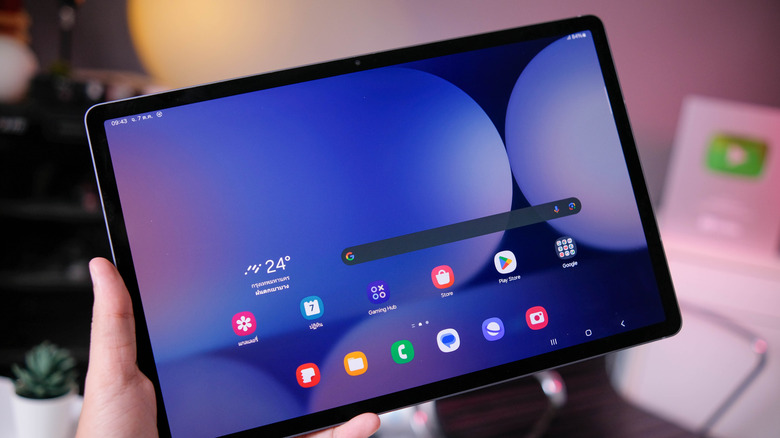
Android tablets are more than capable of performing most everyday tasks. For instance, if your typical workday involves writing in Google Docs, joining occasional video calls, and editing images in Canva, you can easily complete all these tasks using a mid-range Android tablet with a browser. This type of device also equips you with all the tools you need to prepare spreadsheets and presentations.
When paired with accessories, the tablet experience becomes even more streamlined. Connecting a mouse and a keyboard makes navigation and typing more laptop-like and frees up part of the display. If the tablet supports split-screen functionality, you can easily work on two apps at once, easing multitasking. Even when it comes to gaming, tablets are improving. Processing power is still underwhelming when you compare an Android table to a gaming laptop. However, with cloud gaming becoming mainstream, all you really need is a stable, high-speed Wi-Fi connection to enjoy decent gameplay.
A mid-sized tablet coupled with a keyboard typically weighs much less than a normal laptop, making it the perfect travel companion. So, if you travel a lot and most of your work involves lightweight apps, an Android tablet can be an effective laptop alternative.
App compatibility and performance are key concerns for Android tablet users

Compared to a Windows laptop or a MacBook, one of the biggest constraints an Android tablet has is limited app compatibility. Several commonly used desktop apps are still not available on Android tablets. For instance, video editing software DaVinci Resolve and BIM software Autodesk Revit can’t run on Android tablets. Alternatives to these exist, but more often than not, they offer inadequate functionality and are generally not as good as the original versions.
Performance is another major concern, especially with mid-range Android tablets. While these devices do offer multitasking capabilities, you still don’t get the same experience you would enjoy on a laptop. High-end laptops are designed to run heavy workloads and resource-intensive games, and even the more powerful Android tablets fall short in this regard. Three other areas where Android tablets fall behind are Chrome extensions, file management, and OS customization. If you use ad blockers or password managers, they are still not natively available as extensions in Google Chrome on Android. File management can be subjective, but Windows and macOS still have an edge for most users.
Android has undoubtedly improved in recent years, and tablets are seeing increased adoption. But whether they could replace a laptop largely depends on your use case. If you’re doing simple, casual, less resource-hungry work, a tablet will do just as well. But if you are a power user, an Android tablet won’t be able to replace a laptop — at least for now.



