Read more at:
When you think about recycling, it’s easy to jump to cardboard boxes and plastic bottles. However, the old gadgets in your junk drawer are just as important, if not more so, to keep out of the landfill. Many of our daily devices, like phones, earbuds, and laptops, have lithium-ion batteries inside, which, when crushed or damaged in the back of a garbage truck, can become fire hazards.
But even when fire isn’t a risk, throwing out old electronics can damage the environment and harm the industries that rely on those components. That’s because materials like metal, plastic, and glass in your old phone take a lot of energy and effort to mine and collect. Recycling electronics can help conserve those resources and reduce pollution.
If your old devices can’t be fixed up or sold, recycling them can be a great way to give their parts new life while cutting down on the amount of technical waste generated each year. As for what devices you should recycle instead of throwing away, these are just five of the ones you’re most likely to use daily.
Smartphones
If you’re like a lot of people, you probably tossed your old phone in a drawer the second you set up your new one. However, instead of simply letting it sit there, you can always try to get something back for it. Several trade-in programs let you get a nice bit of cash back for your old devices. Apple’s trade-in program, for example, is one of the simplest ways to do this if you use iPhones, especially if you plan to upgrade and don’t want to keep an old phone around. It also offers trade-ins for Macs and iPads, and if your device no longer works, then Apple will recycle it for you at no cost.
Of course, it’s still important to dispose of old smartphones safely, which means wiping them completely clean before you do. For iPhones, that means signing out of your Apple account after you’ve backed up your data, then erasing all content from the phone. Alternatively, if you need help, you can visit an Apple Store in person for hands-on assistance.
Recycling smartphones is also a good idea because they contain precious metals. In fact, recycling a million cellphones can recover roughly 75 pounds of gold, plus tens of thousands of pounds of copper and hundreds of pounds of silver, all of which can be reused in other electronics.
Computers
Getting rid of an old computer can be trickier, especially if you haven’t cleaned it up in years. Our PCs hold thousands of files, from family photos to old tax returns, and you don’t want that information falling into the wrong hands. Thankfully, most PC operating systems, like Windows, macOS, and even ChromeOS, come with a built-in reset option.
As for the computer itself, avoid simply throwing parts anywhere near the trash can. That’s because most computers contain some type of hazardous materials that you don’t want to dump in a landfill. Laptops, especially, should not go in the dumpster, since they use the same lithium-ion batteries as your phone. As such, tossing a laptop in the dump can risk starting a fire. The FTC suggests checking with the company that made your computer to see if they handle recycling, or you may even be able to find a local electronics store that can take care of it.
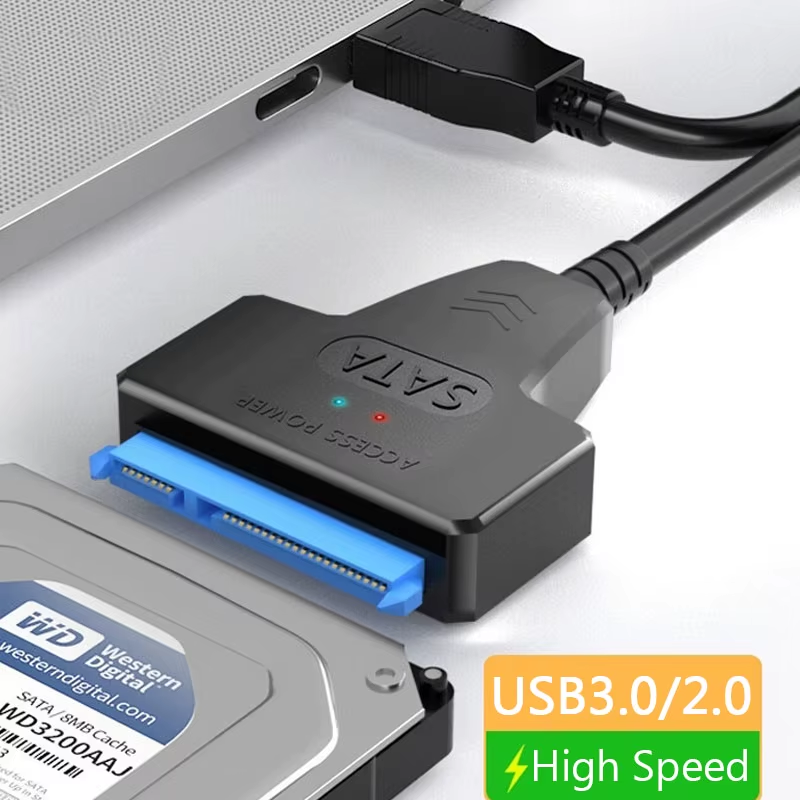
If you’re comfortable opening up your PC, we suggest you don’t toss that old hard drive. You can often use these as extra backup storage, or even just a place to keep files like photos and videos you don’t always need on your main system.
Television sets
If you’re looking to get rid of your old TV, avoid throwing it in the dumpster, especially if it’s an old CRT. Depending on the type of TV, it can contain an average of four pounds of lead. While newer TVs and monitors are much cleaner, the EPA warns that LCD screens often use mercury, which can be dangerous if released into the environment. Instead, recycle old TVs to reduce pollution and reuse recyclable parts.
As for where to drop off these old TVs, places like Best Buy will often take them, though you may need to pay a small drop-off fee, depending on the TV brand. If you’re picking up a new TV from Best Buy anyway, paying to have them take your old TV might be a good idea, especially if you can spare the extra cash. If you don’t need to get rid of your old TV, though, you can always take advantage of some free and easy ways to upgrade your smart TV.
Wireless headphones
Wireless earbuds can be a great addition to just about anyone’s daily tech setup. However, once their battery life starts to suffer, it can get really annoying to constantly have to recharge them. When this happens, you often have no choice but to replace them or buy a new pair.
While some companies, like Apple, may offer battery services for their headphones or earbuds, you should never try to replace a dying AirPod battery yourself. This also applies to other earbuds, as a damaged battery can overheat or even catch fire while you’re working on it. Instead, you should leave that job for a trained technician.
The biggest reason to avoid throwing wireless headphones and earbuds away is the rare metal components they may contain, plus the fire risk from their batteries. So, if you can replace the battery and keep using them, feel free to do that. If you can’t, reach out to Best Buy or other electronics stores near you to see if they handle recycling.
Power banks / portable chargers
Power banks are basically a battery with a USB port slapped on, so it shouldn’t surprise you that they don’t belong in the trash. Even a used one can have enough energy left to start a fire, so take it somewhere like The Battery Network instead, which accepts portable power packs at its collection sites. If your power bank is swollen or cracked, contact the manufacturer first, since damaged batteries usually can’t be dropped off with the rest.
Before you take it anywhere, check whether your power bank has been recalled. For example, in April, 8,000 portable battery packs sold on Amazon were recalled due to a fire hazard, and unless you were keeping an eye on recall notices, you likely missed it. It affected only certain colors of the VEEKTOMX mini power bank, so check which one you have. Recalled units also can’t go in those battery drop-off bins you see at stores. Instead, the recall notice says to call your local household hazardous waste center to see if it’ll take it. If it won’t, your city or county can tell you what to do with it.