Read more at:
If you’re a gamer, you might own the Xbox Series X, a powerful machine that can keep up with even the most intense video games. If you don’t, you shouldn’t wait to buy one in case the price continues to increase. When you’re done playing at night, do you power down the unit or let it run in sleep mode? You might be wondering if you should do the latter for extended periods of time. It’s an option on the console, after all, so it must be there for a reason.
Sleep mode is useful when you take a short break to refill snacks, take a work call, or get the kids to bed before resuming. But it could theoretically be an all-night function as well. People prefer to use this mode because of the faster boot times when you want to play again. It’s for the same reason you likely just close the lid on your laptop and not shut it down entirely at the end of every workday.
Microsoft’s own support page doesn’t give any indication that you should only use sleep mode on Xbox Series X for brief periods of time. This suggests that while there are downsides to doing so, notably consuming more energy than necessary, it’s totally safe to do.
Why you’d leave your Xbox Series X in sleep mode
By leaving your Xbox Series X in sleep mode, you can resume gaming faster, and partake in activities you didn’t know the console could do. If you were to shut down your laptop at the end of every day, you’d have to turn it back on and wait for everything to load, and possibly re-open files. In the same way, leaving Xbox Series X in sleep mode instead of shutting it down means quick start-up time when you want to play again. Both my 14-year-old son and my partner play most nights, and they leave the Xbox on sleep mode most of the time to resume playing quickly. They’ve never had an issue.
The Xbox One was designed to be able to run continuously for at least a decade, and it’s likely the same can be said for the newer Xbox Series X. Like with a laptop, however, it’s a good idea to shut it down completely every now and then, especially if you won’t be playing for a few days. This not only ensures a fresh restart the next time you’re ready to game, it also reduces unnecessary energy consumption that can nominally increase utility bills.
Doing this also eliminates worry of the console becoming overly hot while asleep for long periods, although onboard cooling fans are designed to help in case that happens. Just make sure you position the console with proper ventilation, following Microsoft’s recommendation to leave at least four inches of clearance around all sides.
What Microsoft has to say
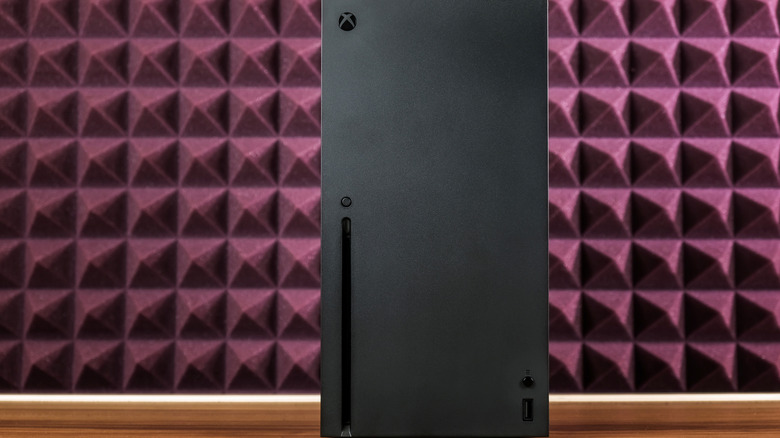
Microsoft notes that with shutdown mode, Xbox Series X uses the least amount of energy at 0.5W but can take upwards of 45 seconds to start up again. Sleep mode uses more power at 13W, but allows for remote wake and fast boot, and even voice commands to awaken it.
There’s also an option to have the console automatically turn off after it’s been inactive for a specified period of time. So, it can be in sleep mode then shut down completely if no one is playing after, say, 24 hours. To do this, tap the Xbox button, go to Profile & system, Settings, General, Power options, and Customize power options. Use the same menu under Power options to choose either Shutdown or Sleep if you prefer to do it on the fly.
Bottom line: the Xbox Series X doesn’t consume loads of energy in sleep mode, and you’re safe to use that mode if you prefer to get in, get gaming, and get out each time. Just note that one of the things you should never do with an Xbox Series X is keep it plugged in without a surge protector. If you’ll be taking an extended break from gaming, shut it down completely. But if you’re an avoid gamer who plays daily, go ahead and use sleep mode. That’s what it’s there for.



